Dessix
Dessix is an AI-enhanced workspace that captures ideas as Blocks, structures context automatically, and enables deep collaboration with AI. Ideal for research, writing, and knowledge work—AI sees exactly what you see.
Website Preview
Detailed Introduction
Dessix – AI-Powered Thinking Workspace
What is Dessix?
Dessix is an AI-assisted knowledge workspace that captures your ideas, structures them as discrete "Blocks," and enables deep collaboration with AI—all within a shared context. It keeps your focus and transforms static notes into dynamic thinking tools
Why Choose Dessix?
- Context continuity: Dessix tracks exactly what you see, so AI understands your focus as you work
- Seamless capture: Use its browser extension to grab text snippets, webpages, tweets, videos—without leaving your flow
- Automatic insight linking: It organizes related Blocks and uncovers hidden connections in your information
- Privacy-first: Your data and context stay in your browser until you choose to interact with AI
Core Features
- Capture: Clip ideas from anywhere with the extension. It automatically extracts titles, summaries, keywords and links to sources
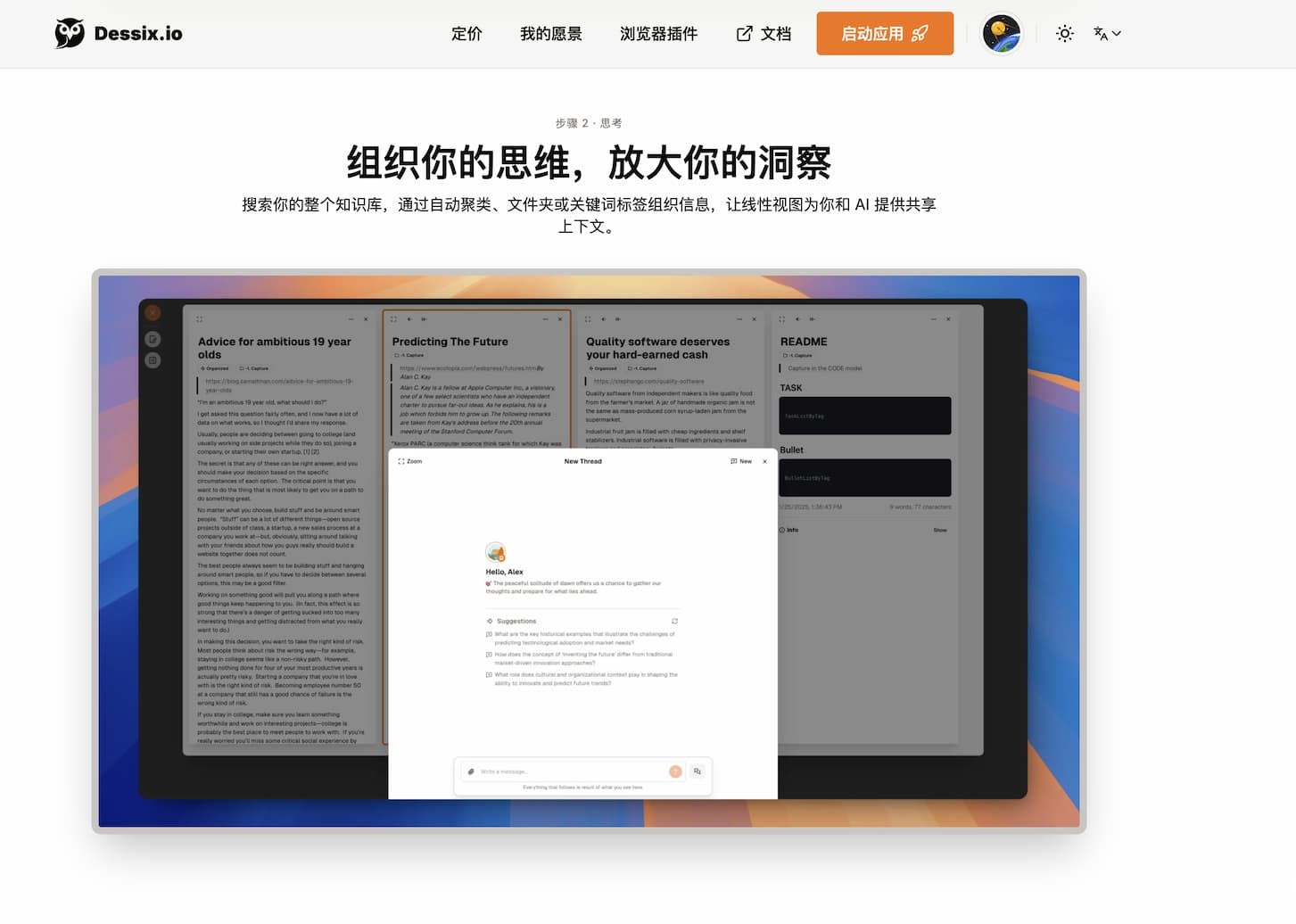
- Context: A clean linear interface lets AI follow your focal area, with the ability to pin key Blocks
- Think: Chat with AI using the current Blocks as context. Start deep discussions or extract structured insights
- Write: Build content in-app using custom Actions and cursor-aware suggestions. AI completes or refines text based on active Blocks
- Advanced Tools: Multi-window support, custom Actions, offline note editing, and structured Block collections
How to Get Started
- Install the Dessix browser extension.
- Visit a page or open the web app; click the extension to "capture" a snippet.
- Choose an Action (e.g., summarization, TOC extraction) to structure the capture
- Captured content syncs to web app. In your Workspace, create Blocks or Notes.
- Select Blocks, click "Ask a Question," and chat with AI in context
- Create custom Actions or organize Blocks via collections and folders.
Tips & Best Practices
- Focus in context: Dessix tracks your visual workspace—only pin the Blocks relevant to your task ([docs.dessix.io][5]).
- Use pre-built Actions: Try Summary or TOC extraction for fast structure.
- Build custom Actions: Tailor prompts to your workflow or research niche
- Work with multiple windows: Split research and writing into parallel views for clarity
FAQ
Q: Is Dessix free?
A: Yes, it offers a free tier with initial credits. You can also bring your own OpenAI API key and pay as needed
Q: Does it work offline?
A: You can edit local notes offline. AI features (summarization, chat) require internet .
Q: Who is Dessix for?
A: Ideal for knowledge workers, researchers, writers, analysts, and anyone who works with fragmented information and wants AI-backed thinking .
Q: How is it different from other note tools or chatbots?
A: Instead of disconnected notes or one-off chats, Dessix builds shared context between your workspace and AI. AI sees exactly what you see, enabling meaningful, continuous collaboration
Related Sites
Comments
Leave a Comment
Share your thoughts about this page. All fields marked with * are required.
Comments
0Rating
Quick Action
Lables